QBIV
Query-Based Intelligence Visualization
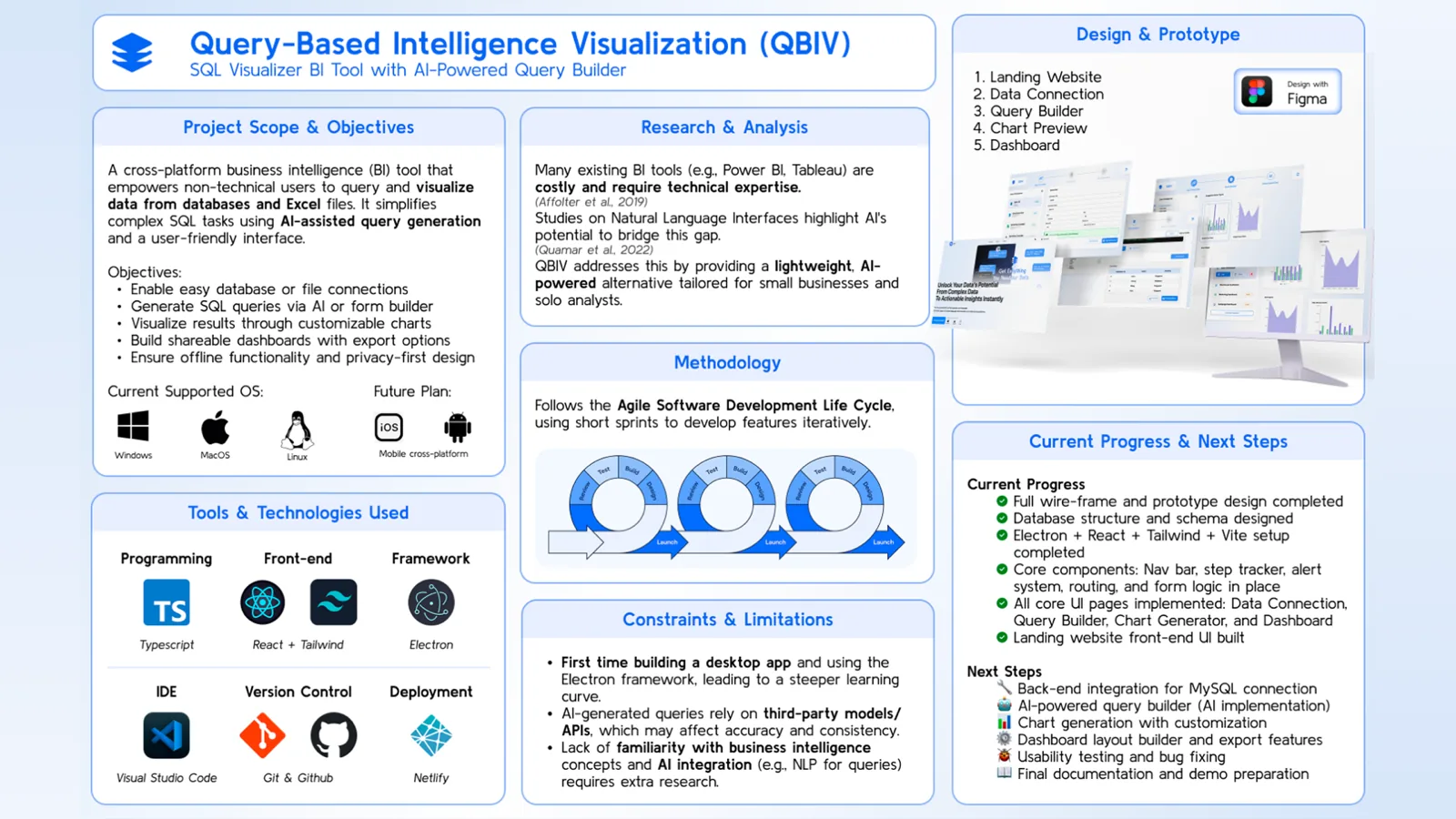
A cross-platform desktop BI tool that empowers non-technical users to query and visualize data from databases using AI-powered natural language.
Key Highlights
- ◆Natural language to SQL via Groq API (AI Query Builder)
- ◆Form-based SQL builder - no code required
- ◆Bar, line, area, and pie chart generation
- ◆Dashboard system: save, arrange, and share charts
- ◆Offline-first - only AI query needs internet
- ◆Cross-platform: Windows, macOS, Linux
Overview
QBIV is a cross-platform business intelligence desktop app built for non-technical users and small teams. It lets users query structured MySQL data using natural language or interactive form controls, then instantly visualize results as rich, interactive charts and dashboards - no SQL knowledge required. Built with Electron + React and designed to be offline-first.
Features
- –Easy MySQL database connection
- –AI Query Builder: natural language → SQL via Groq API
- –Form-Based SQL Builder: dropdowns, checkboxes, inputs - no code
- –Chart Generator: Bar, Line, Area, Pie charts
- –Dashboard System: save, arrange, and share charts
- –Offline-First: almost all features work without internet
- –Cross-Platform: Windows, macOS, Linux
Tech Stack
| Frontend | React + Tailwind CSS |
| Backend | Electron + SQLite |
| Language | TypeScript |
| Charting | Recharts |
| AI Query | Groq API (NLP-to-SQL) |
| Build | Vite |
| Tools | Figma, GitHub, Netlify |
Installation & Setup
1. Clone & set up the AI Proxy (Groq API bridge)
git clone https://github.com/sai-zack-dev/qbiv-ai-proxy.git
cd qbiv-ai-proxy
npm install
cp .env.example .env
# Add your Groq API key to .env → GROQ_API_KEY=your-key
ℹ Get a free Groq API key at console.groq.com/keys
2. Start the AI Proxy server
node index.js
# Proxy starts on http://localhost:3000
3. Clone & set up the main QBIV app
git clone https://github.com/sai-zack-dev/query-based-intelligence-visualization.git
cd query-based-intelligence-visualization
npm install
cp .env.example .env
# Set AI_API_BASE=http://localhost:3000
4. Run the Electron app
npm run devDownloads — v1.0.0
Roadmap / Future Plans
- ○Web app version (Laravel + React)
- ○Mobile app for dashboard viewing (React Native + Expo)
- ○Cloud sync for dashboards & team collaboration
- ○Role-based sharing & multi-user workspaces
- ○Multi-language UI support
- ○Fine-tuned AI for schema-aware query generation
Related Projects
Myanmar Handwriting Recognition
AI-powered deep learning system for recognizing and classifying handwritten Burmese characters.
View project →Elyza Myanmar Chatbot
A rule-based Myanmar language chatbot with emotion detection, served as a Flask REST API.
View project →Burmese Handwriting Dataset Collector
A data collection tool for gathering high-quality handwritten Burmese character samples for ML training.
View project →